
Changing email system worries many IT departments, and for good reason. Email holds years of correspondence, filing rules built up over time, shared addresses that customers and suppliers rely on, and habits that staff are attached to. A poorly prepared switch quickly leads to lost messages and an overwhelmed help desk.
Whaller Mail was designed so that the transition can happen in stages, with no forced migration. This guide sets out a five-step approach for moving from Microsoft 365, Exchange or Gmail to email hosted in France and built into your Whaller workspace.
1. Take stock of what you have
Before changing anything, you need to know what you are moving. The inventory lists personal mailboxes, shared addresses such as contact@ or recruitment@, aliases, distribution lists and forwarding rules. It also measures mailbox sizes, since each managed Whaller email account comes with 5 GB, and identifies special cases, such as a mailbox shared by a team or an address used by a business application to send notifications.
The inventory is also a chance to tidy up. Accounts belonging to people who left long ago, aliases that nobody uses and orphaned distribution lists do not need to be recreated.
2. Start by connecting your existing addresses
Whaller Mail offers two modes. The first connects the mailboxes you already use to Whaller, whether they are hosted by Microsoft, Google or another provider. Activation is immediate and requires no migration and no change to your infrastructure.
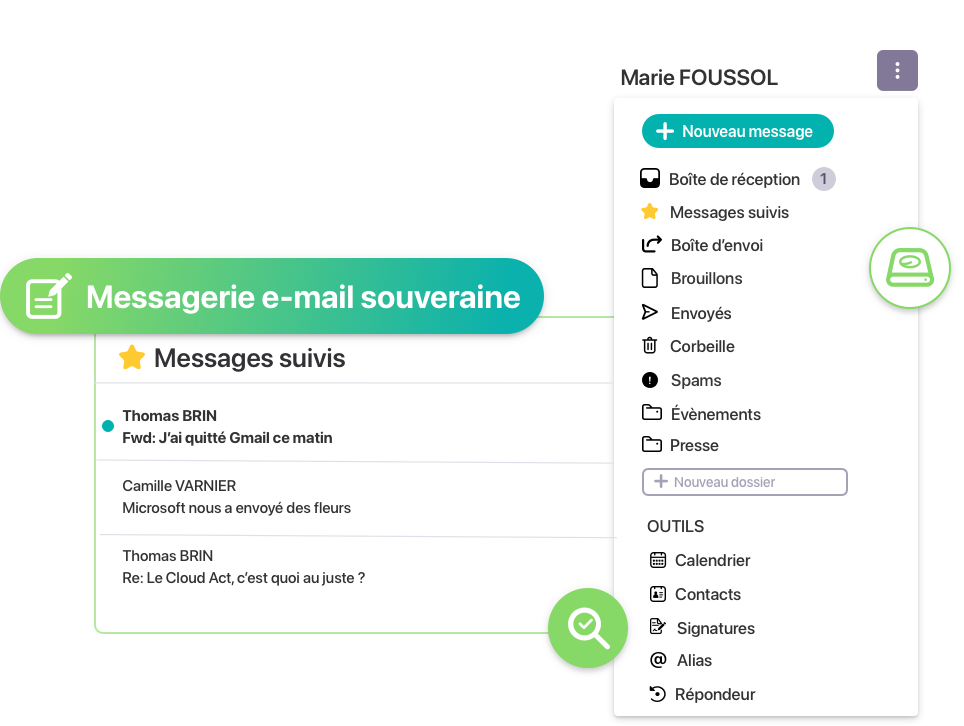
This first mode is a good place to begin. Staff get used to handling their email in Whaller, with the conversation view, search, favourites and writing help from Whaller (IA)ssistant, and they can already send an attachment to the relevant project sphere in one click. The level of sovereignty remains that of your current provider, but adoption is secured before the switch.
3. Move to managed mailboxes, one group at a time
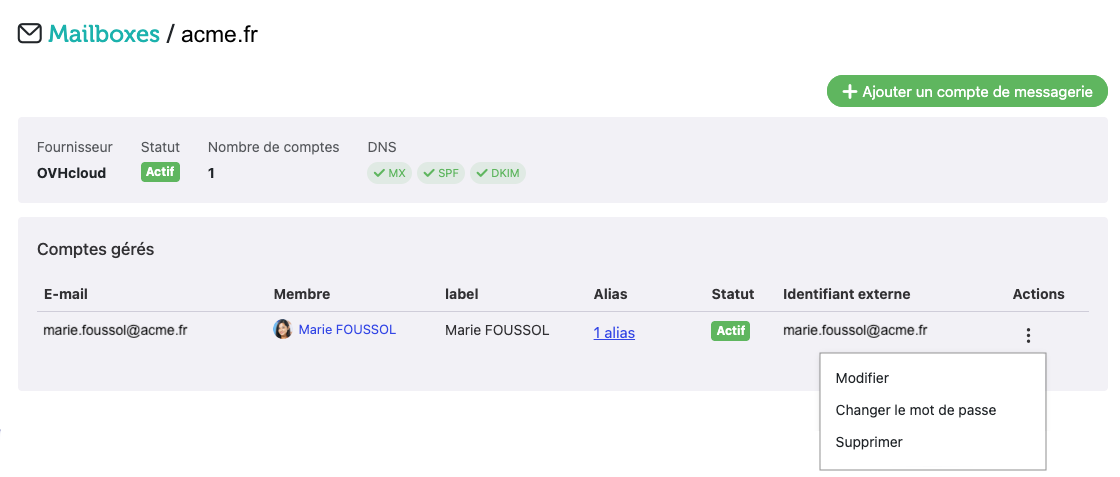
The second mode, managed mailboxes, provides full sovereignty: Whaller creates and hosts your email accounts in France on OVHcloud, and your organisation’s administrator creates, edits and deletes them directly in Whaller, including aliases and the automatic reply.
Rather than switching the whole organisation on the same day, it is safer to move in groups. Many organisations start with a volunteer pilot team, then the people who handle the most sensitive information, such as senior management, legal or HR, before extending the switch to everyone else. Configuring your domain name, which means updating the DNS records that say where your email should be delivered and which servers may send on your behalf, is prepared with our teams to avoid any interruption of service.
4. Decide what happens to the history
Every migration raises the question of past email. Not every organisation needs to move ten years of messages into its new system, and many choose to keep the old mailbox available read-only for a transition period, or to export an archive in line with their retention policy. The documents that really matter, such as contracts, minutes or project files, often belong in Whaller spheres, where the whole team can find them, rather than in an individual inbox.
A tip: set an end date for access to the old email system and announce it at the start of the project. Without a clear deadline, the two systems coexist indefinitely and the organisation pays twice.
5. Support your users
A successful migration depends largely on support. A short demo for each team, a help sphere where staff can ask questions and a few named contacts in each department are usually enough to get through the first weeks. The personalised email signature for each account, search across all mailboxes and the out-of-office reply are the features people ask about most, and each takes only a few minutes to set up.
Which plans include it
Whaller Mail is available as a paid option from the Business plan. It works with Whaller DONJON, Whaller RESILIENCE and Whaller ARENA, with the same sovereignty guarantees and governance features. It is not included in the Standard and Pro plans.
Plan your move to Whaller Mail
Further reading
- Whaller Mail: sovereign email integrated into Whaller
- Leaving Microsoft 365: what IT leaders should really be asking before they decide
- Registrations, applications, customer feedback: how to collect it all without losing control of your data
- Whaller Mail: the full presentation



0 Comments