
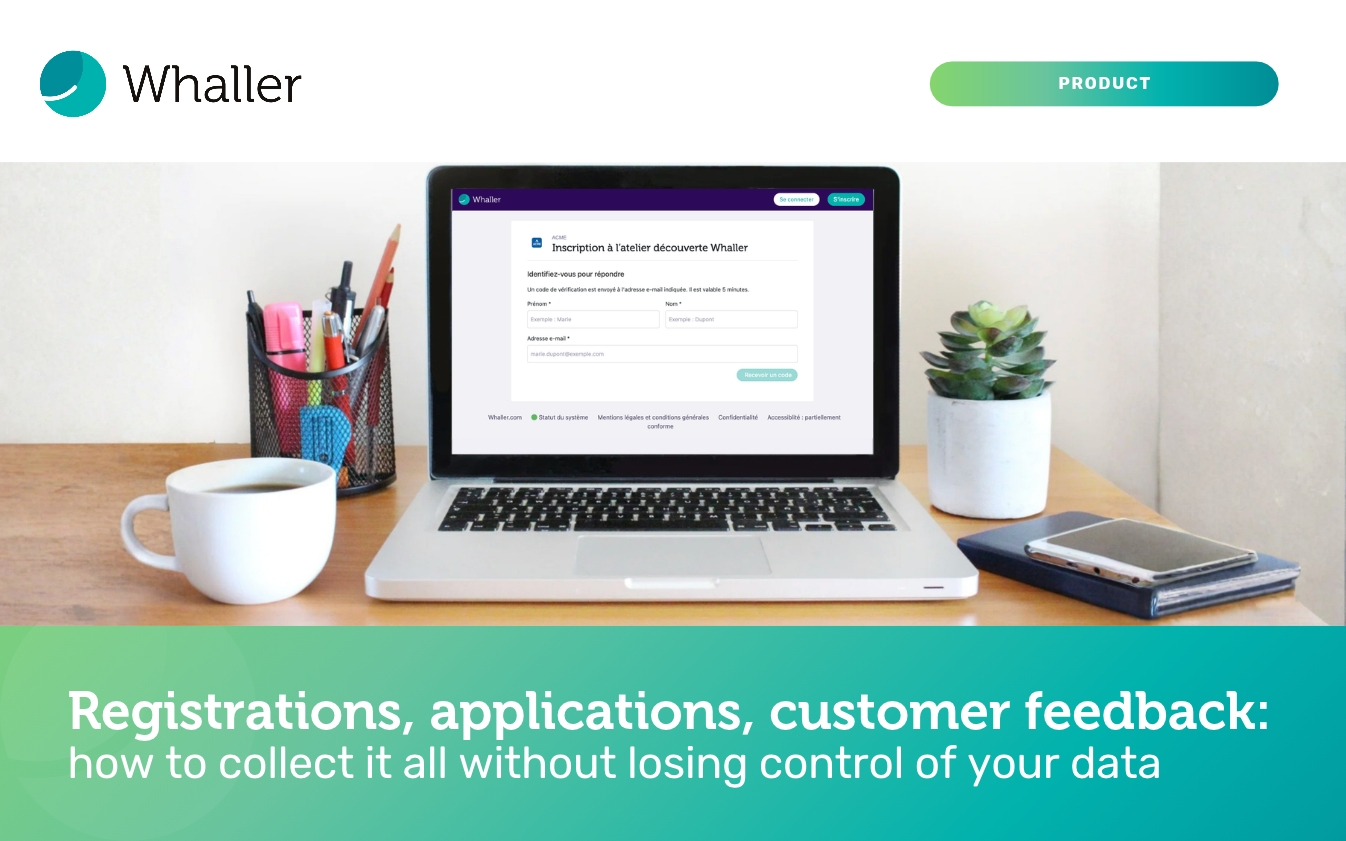
A trade show registration, a speculative job application, a customer’s feedback after a demo, a supplier’s security questionnaire: much of the information an organisation needs comes from people who are not part of its teams. To collect it, people often turn to a free online forms tool, set up in ten minutes, without giving much thought to where the answers will end up or who will be able to access them. With Whaller, this information can arrive directly in your collaborative environment, hosted in France, thanks to publicly accessible forms.
A Whaller form, open to anyone you choose
Whaller forms were already used to collect information from members of an organisation: internal requests, feedback from the field, team surveys. By selecting the “Publicly accessible” option when you create a form, you can now open it to anyone, whether or not they have a Whaller account. You simply share the form’s link, in an email, on your website, on your social networks or as a QR code printed on a poster or a roll-up banner.
The person who opens the link lands on a page in your organisation’s colours, enters their first name, surname and email address, then types in the verification code they receive by email before answering. They do not need to create an account, yet every response is tied to a verified address, which goes a long way towards limiting bogus sign-ups and automated submissions. Once the form has been sent, they receive a confirmation email, and your teams are notified on their side, by email and in the Whaller notification centre.
Responses from external respondents sit alongside those from your members, in the same place, with an “External” label that sets them apart at a glance. You decide who can view them, you can submit them for approval and export them to a spreadsheet for analysis. Above all, they stay within your Whaller environment, hosted by OVHcloud in France and shielded from extraterritorial laws, rather than being scattered across a third-party service whose hosting and retention period you have no control over.
The question, then, is what all this can be used for in practice. Here are the use cases we find most telling, function by function, followed by a few sectors where the question is particularly pressing.
Communications: better-prepared events
For a communications department, the public form fits naturally into event organisation. Registrations for a conference, a breakfast briefing or an opening ceremony, press accreditation requests for a press conference, booking a visit slot on a stand: all this information arrives in a single space, where the team preparing the event can consult it without emailing spreadsheets back and forth.
The same tool can then close the loop with a satisfaction survey sent to attendees in the days that follow. And when an organisation launches a broader consultation, for example to gather its partners’ views on a project or its readers’ opinions on a newsletter, it can do so without asking anyone to join its platform.
Marketing: turning interest into qualified leads
Marketing teams will find a way to capture interest the moment it arises. At a trade show, a QR code displayed on the stand leads to a demo or documentation request form; the visitor answers in a minute from their phone and the sales team receives the request in real time, with a verified address rather than a hastily scribbled business card. The same principle works for webinar registrations, trial offers or recruiting customers willing to test a future feature.
Multiple-choice questions make it possible to qualify each lead from the very first contact (size of the organisation, sector, main need), which makes sorting and follow-up easier afterwards. And because this data concerns your prospects and customers, keeping it in a sovereign environment rather than in a service hosted outside Europe is no minor detail: it is a mark of trust you can put forward to them.
Human resources: welcoming people before they arrive
Human resources is probably the function where the public form changes day-to-day work the most, because a large share of the people HR deals with are not yet part of the organisation. A speculative application can be submitted along with a CV using the file upload field; the approval option means each application is validated by the right people before any follow-up, and roles restrict access to responses to the recruiters concerned.
The public form also makes onboarding new starters easier: between signing the contract and their first day, the new recruit can send the information and supporting documents needed for their arrival without waiting for their accounts to be opened. Registrations for a recruitment fair, an open day or an alumni referral scheme lend themselves just as well to it. In all these cases, the data is personal, sometimes sensitive, and has every reason to stay hosted in France and away from consumer tools.
IT security: opening a channel without opening a gap
For IT directors and CISOs, the challenge is different: it is about receiving information from outside without weakening the organisation’s security. A public form can serve as an entry point for incident or vulnerability reports from partners, service providers or security researchers, with a verified address for each submission and a clearly defined handling process.
It is also very well suited to supplier assessment questionnaires, which the supply chain security requirements of NIS2 and DORA are making increasingly common. Each supplier completes the questionnaire and attaches their certificates, the responses stay centralised and exportable for analysis, and the whole file remains in an environment whose sovereignty is beyond question.
Associations, sport, public sector, education: bringing audiences on board without friction
Some sectors, by their very nature, have a very wide audience of whom only some use the organisation’s digital tools. Associations can collect membership applications, volunteer applications or registrations for their general meeting, and sports clubs, leagues and federations can take registrations for a tournament, a training camp or a referee course, without requiring everyone to create an account first. It is often a gentle way in: people discover the organisation through a form, before later joining its discussion spaces.
In the public sector, a local authority or public body can run a consultation with residents, collect registrations for a public meeting or centralise information requests, while keeping users’ data on French infrastructure. Finally, schools can use it for open day registrations, school trip consent forms or appointments with families, including those not yet registered on their network.
A few tips to get started
- Don’t ask for the respondent’s identity again: their first name, surname and email address are recorded automatically when they identify themselves.
- Keep it to the essentials: only ask for the information you genuinely need, and respondents will be more likely to see it through to the end.
- Structure long forms: section breaks let you group questions into sections that are easy to work through.
- Close the collection on time: deactivating the form immediately cuts off access to the link.
To go further, our practical guide to forms (in French) walks you through every step, from creation to making use of the responses, and all the configuration details can be found in the help centre article on forms (in French).
Forms are available from the Business plan upwards. If you would like to see how to set them up for your own needs, our team will be happy to show you during a demo.



0 Comments