
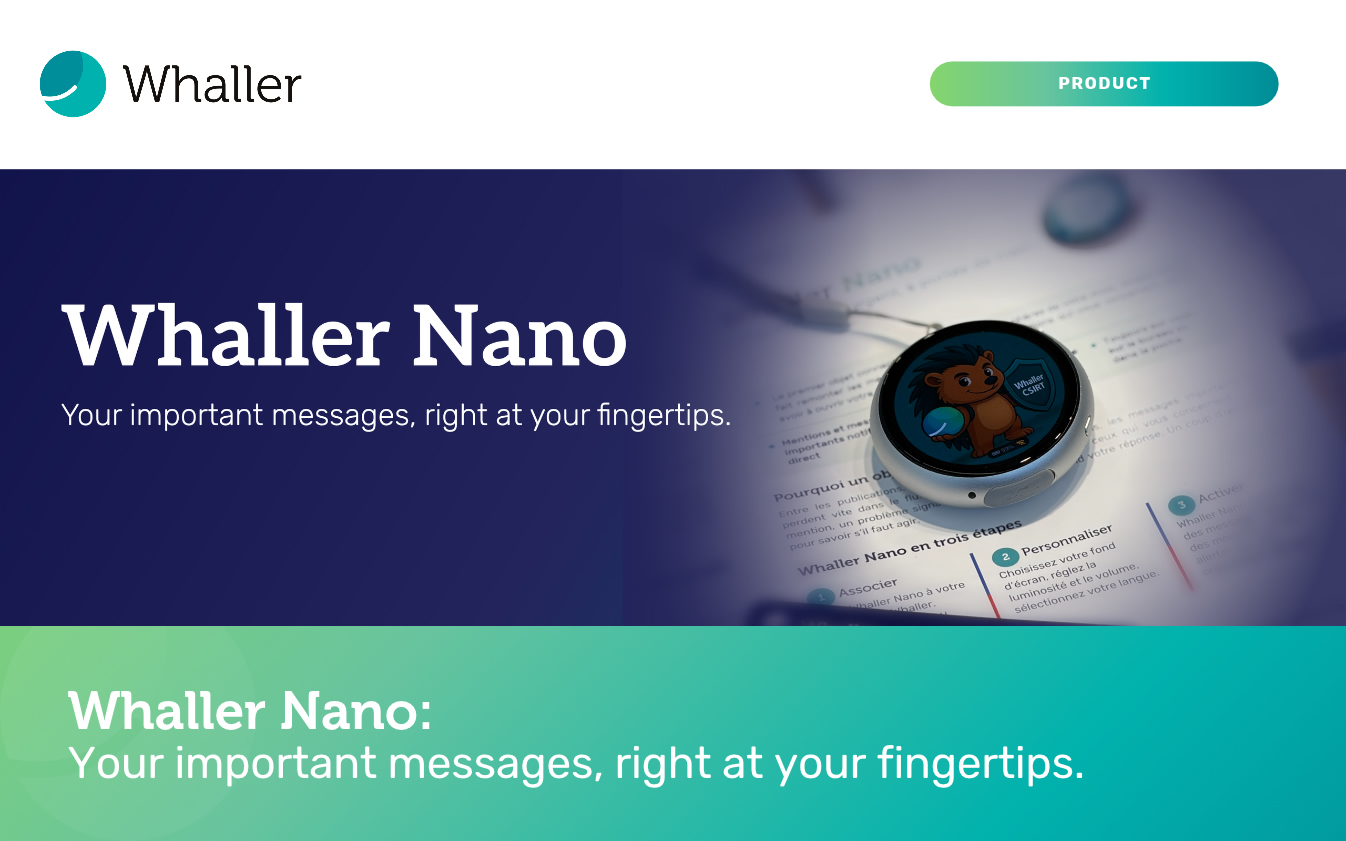
It fits in the palm of your hand, sits happily on the corner of a desk or slips into a pocket, and it has a single job: to let you know what, in Whaller, genuinely deserves your attention. Whaller Nano, Whaller’s first connected device, was unveiled at European Cyber Week 2026 in Rennes, and we wanted to tell you what it does day to day, who it was designed for and how it fits into your Whaller organisation.
Whaller Nano: what matters and what is urgent, right at hand
Whaller Nano is a small, round device with a screen, which you link to the Whaller spheres of your choice. From then on, it brings forward the important messages and mentions that concern you, without you having to open your laptop or unlock your phone. A glance at the screen is enough to know whether you need to act now or whether it can wait until the end of your meeting.
The device can be tailored to your tastes and habits: you choose your language, adjust the brightness and volume, and pick one of four wallpapers, including Whally, our mascot, a hedgehog, a digital clock or an analogue clock. Sitting on your desk, Whaller Nano therefore doubles as a small clock, which earns it a permanent place in your field of vision.
Why a dedicated device rather than yet another notification?
Between posts, discussions, comments and notifications from every app on our phones, the messages that really matter are quickly lost in the flow. Anyone who works in a team knows the paradox well: the more alerts we receive, the less attention we pay to them, and it is often the very message we were waiting for that slips by unnoticed.
Whaller Nano turns the problem on its head. Rather than adding another source of interruptions, it does the sorting for you and keeps only what concerns you directly: a mention, a reported problem, a question waiting for your answer. Everything else carries on quietly in your spheres, where you can catch up with it whenever you choose. And because it is separate from your phone, it spares you the temptation to deal with ten other requests along the way.
What Whaller Nano tells you about
As soon as you are mentioned in a sphere you follow, Whaller Nano lets you know and shows the type of message as its author set it in Whaller: a message flagged as important, a problem being reported, a question, a suggestion or a simple mention. You immediately know what kind of request you are dealing with, and can decide in a second what to do next.
Notifications reach you in real time, the moment a message is published. When pairing the device, you choose which sphere to follow and which events trigger an alert, so the level of vigilance can be finely tuned to your role.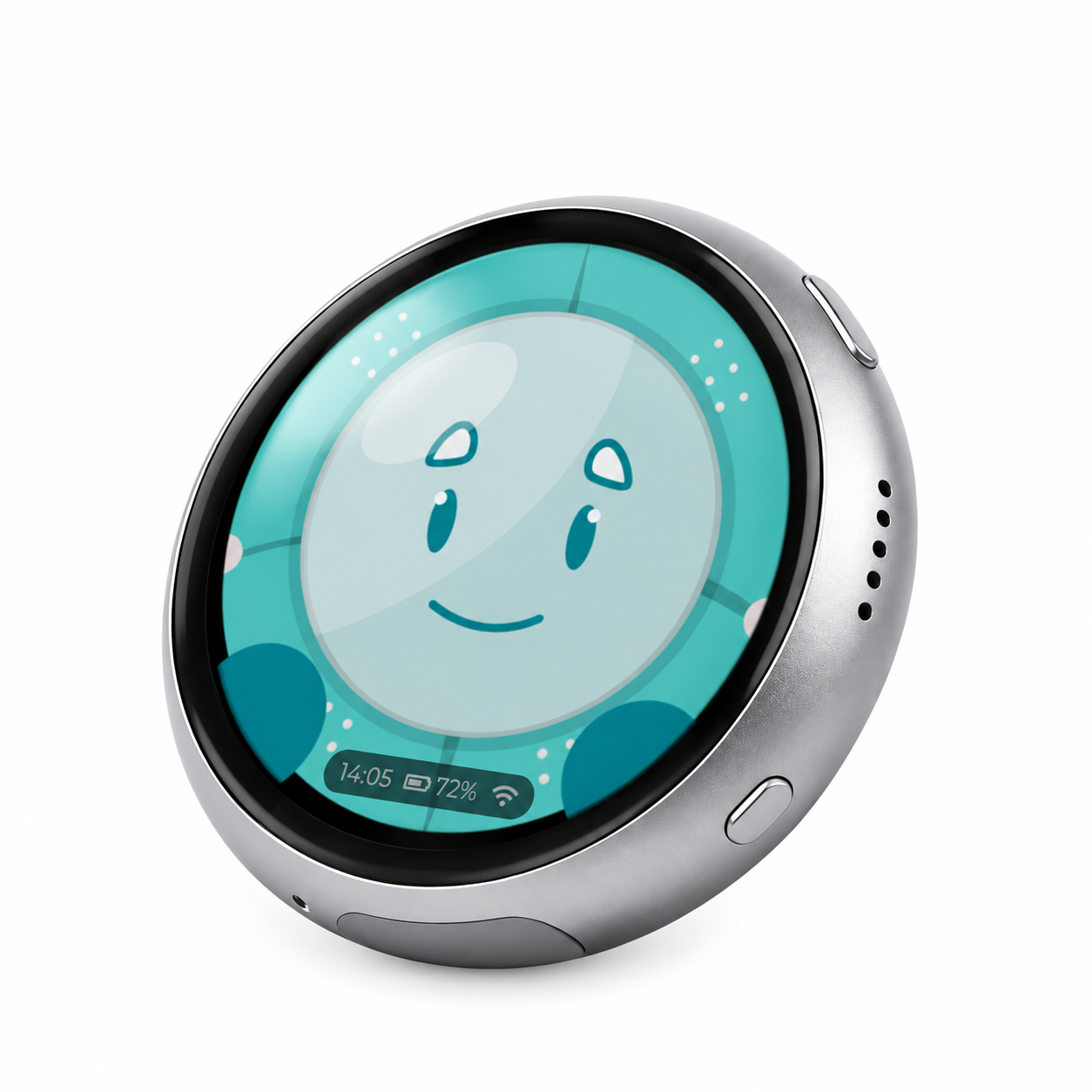
Five situations where Whaller Nano makes a difference
The executive moving from one meeting to the next
An executive’s day is often a string of back-to-back meetings, during which checking a phone is frowned upon and opening a laptop is out of the question. Linked to the executive committee’s sphere, Whaller Nano sitting on the table lets them discreetly spot a message flagged as important by the finance director or an urgent question from a partner, without losing the thread of the discussion or missing a decision that could not wait until the evening.
The chief information security officer
When a colleague reports a suspicious email, a phishing attempt or unusual behaviour on their computer, every minute counts. By linking Whaller Nano to the sphere dedicated to security reports, the CISO or head of cybersecurity sees the problem report as soon as it is published, even when absorbed in another task. They can then step in quickly, before an isolated incident turns into something more serious.
The project lead and the question holding everything up
On a project, a single unanswered question can sometimes leave a whole team at a standstill for half a day. With Whaller Nano linked to the project’s sphere, the project lead or manager is alerted as soon as a team member mentions them with a question or a suggestion. They can unblock the situation quickly, and the team knows their requests will not end up buried under a pile of messages.
On-call teams
Maintenance technicians, IT teams, site managers and duty staff all need to react quickly without keeping their eyes glued to a screen. Whaller Nano gives them a simple, discreet relay that only comes to life when a problem is reported or when someone needs them, so they can enjoy the rest of their time with greater peace of mind.
The crisis unit
For members of a crisis unit, missing a message can have serious consequences. Whaller Nano then becomes an integral part of the crisis kit, alongside the directories, procedures and means of communication set out in the business continuity plan. Everyone is alerted as soon as a decision is expected or important information is published in the crisis sphere.
Designed for Whaller RÉSILIENCE
Paired with Whaller RÉSILIENCE, Whaller Nano relays the messages from your crisis sphere and supports the implementation of your business continuity and disaster recovery plans. To find out more, read why it is essential to practise on the very tool you will rely on when the day comes.
Up and running in a few minutes
Pairing Whaller Nano takes two stages. On your phone, connected to the Wi-Fi network the device will use, you install the ESP BLE Provisioning app and scan the QR code on the Nano, which then connects to the network and displays a pairing code. On your computer, simply open your Whaller profile menu, go to Connections and Sessions, then Connected devices, add Whaller Nano by entering the code shown on its screen, and choose the sphere to follow along with the triggering events. The device is then recognised, secured and ready to receive your alerts.
Settings remain available at any time: Wi-Fi is chosen from pre-registered networks, and you can change the pairing, clock, language, wallpaper, brightness or volume as you see fit.
Built to the same security standards as the platform
A connected device that displays excerpts of work messages naturally had to meet the same standards as the rest of Whaller. The pairing code is not kept: Whaller replaces it with a key unique to the device. Message excerpts also reach Whaller Nano without passing through any third-party service, which means no intermediary sits between your Whaller organisation and the screen on your desk.
Frequently asked questions about Whaller Nano
Do I need to install an app to use Whaller Nano?
The ESP BLE Provisioning app is only needed when the device first connects to the Wi-Fi network. Once Whaller Nano is paired, everything is managed from your Whaller profile, under Connected devices.
Does Whaller Nano display every message from my spheres?
No, and that is precisely the point. It only keeps the important messages and mentions that concern you, based on the sphere and triggering events you chose when pairing it.
Who is Whaller Nano for?
Anyone who cannot afford to miss a message: executives, managers, project leads, on-call teams, security officers and, of course, members of a crisis unit.
Fancy getting your hands on Whaller Nano?
Come and meet the Whaller team at stand 57 at European Cyber Week, at the Couvent des Jacobins in Rennes, until 19 November 2026, or at Be Sovereign on Monday 23 November 2026 at the Pullman Montparnasse.
Can’t make it? Drop us a line to find out more and discuss your project.


0 Comments