
Whaller has further enhanced its offering with three new features in the file box. These additions aim to simplify and further secure collaboration within companies, particularly for organisations requiring robust and effective tools.
The three new features in the file box
1. Versioning extended to all files
Previously reserved for office files (Word, Excel, PowerPoint), versioning is now available for all file types with ENTERPRISE licences. This feature allows users to revert to a previous version of a file, ensuring better traceability of changes. This makes it possible to work on collaborative projects without fear of losing important information or encountering out-of-sync versions.
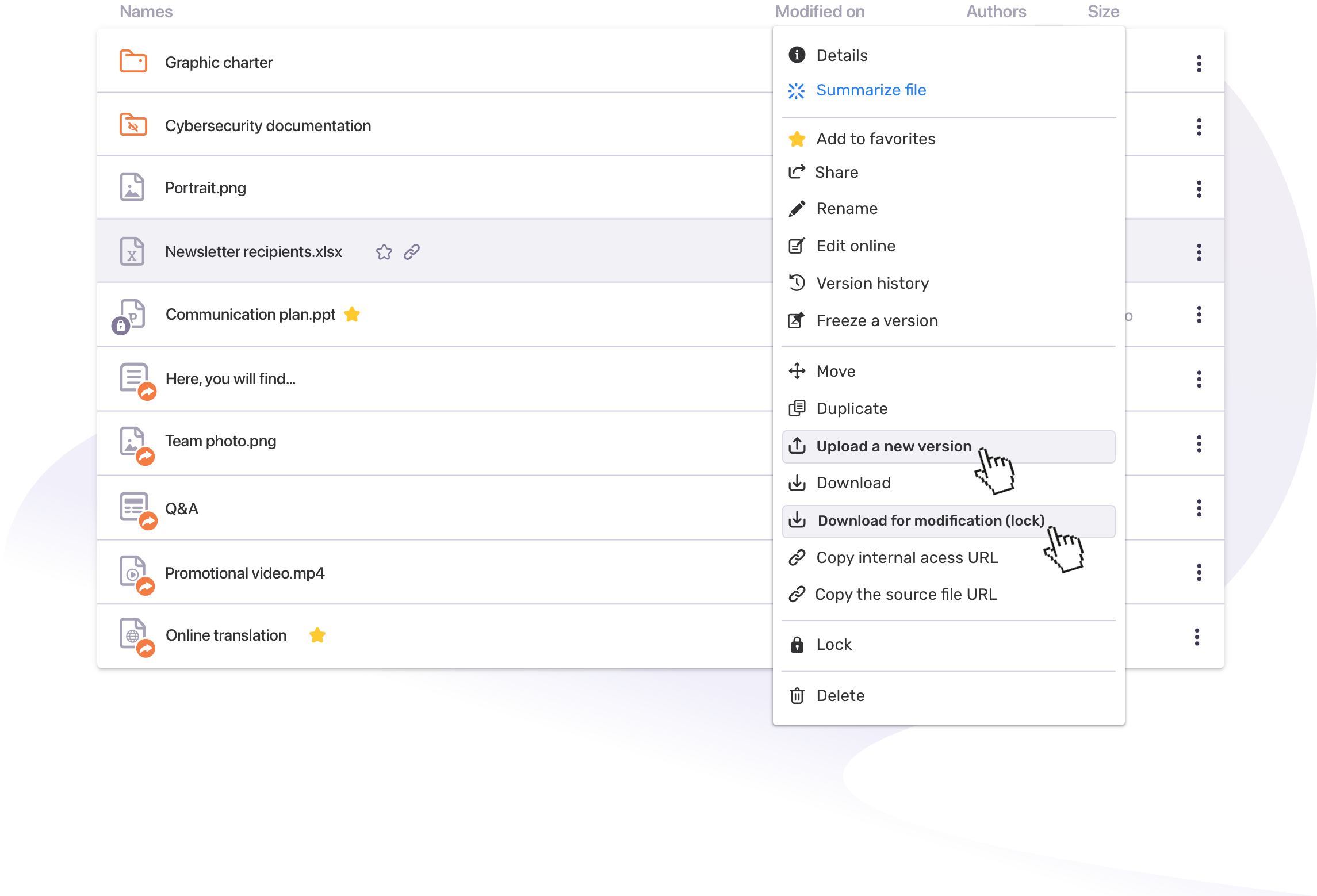
2. Upload a new file version
This new option gives users the ability to upload a new version of a file. For ENTERPRISE users, this automatically creates a new version without overwriting the old one, while for BUSINESS and PRO licence users, the file is replaced. This tool allows for smoother management of document updates.
3. Download for modification with locking
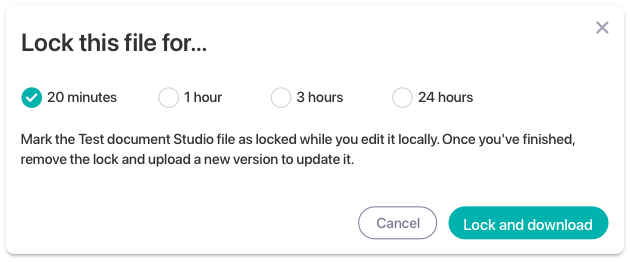
The “Download for editing” feature allows users to lock a file when downloading it for editing. This ensures that no one else can edit the file during this time. Once the editing is complete, the user removes the lock and uploads the new version. This secure process is ideal for organisations where multiple users work simultaneously on the same documents, ensuring smooth exchanges without the risk of version conflicts.
A look back at previous new features
These three new features complement other improvements introduced earlier this year to optimise document management and collaboration on Whaller. These include:
- External content sharing: This feature allows you to create secure links to share files with people outside the Whaller sphere.
- File-related conversations: Users can view and add related conversations directly from the file preview.
- File-related “Details” mode: Users can add descriptions, tags and view key information about a document.
- File and folder search engine: This engine allows you to navigate more efficiently within the file box.
- Whaller 365: The sovereign alternative to Microsoft 365
In addition, Whaller also offers Whaller 365, a sovereign alternative to Microsoft 365. This solution offers all the essential collaborative tools (office automation, messaging, etc.), while being hosted in France and complying with European data protection standards (GDPR). Whaller 365 guarantees total control over sensitive company information, while ensuring smooth continuity of work between different teams.
Thanks to these improvements, Whaller continues to meet the expectations of businesses and organisations seeking to optimise their online collaboration while ensuring complete security and sovereignty. Whether using Whaller 365, Drive, or the scalable file box, users can work with peace of mind on a platform that is both powerful and intuitive.

Join us: to learn more about how Whaller can transform your organisation’s digital collaboration, visit our website or contact us directly.
📖 Learn more: Product.



0 Comments