
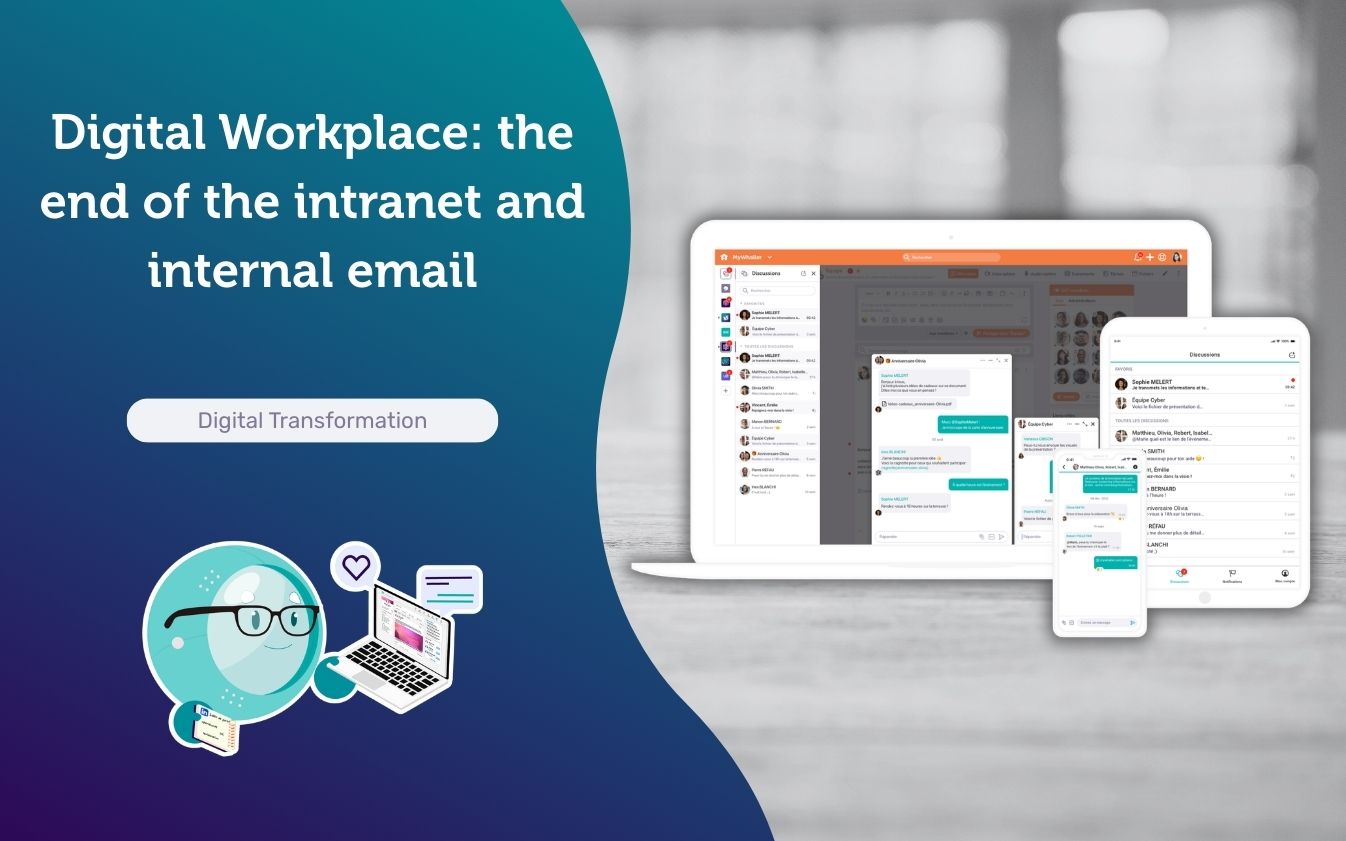
Monday morning, 8:47am. Marie, HR Director of a 600-person mid-sized company, opens her inbox to find 94 new messages since Friday. Among them: a leave request, an HR process validation, a version 7 of a document she can no longer find version 6 of, and three “reply all” messages that have nothing to do with her. She does have an intranet — but nobody really uses it. This scenario is familiar to almost every organisation, and the solution is not to “manage your emails better”: it is to stop routing internal life through personal inboxes.
The Digital Workplace, plainly put
The Digital Workplace works in the opposite direction: unifying information, exchanges and usage within a single environment. The goal is straightforward: reduce friction (searching, chasing, retrieving) and, above all, cut dependence on internal emails.
| What you recognise | What it actually produces | What a Digital Workplace changes |
|---|---|---|
| A “showcase” intranet: pages, documents, and nothing more | Static content, consulted occasionally and quickly forgotten | Living content, contextualised and reusable across all teams |
| Silos everywhere: departments, sites, projects | Back-and-forth, duplicates, collective visibility that simply disappears | Structured shared spaces: by project, by department, by community |
| Email as the default reflex for everything | Decisions that can’t be found, accumulating attachments, exhausting “reply all” threads | Information lives in the workspace, email becomes a signal, not a warehouse |
From “one-to-one” to “many-to-many”
The shift is as much cultural as it is technical: moving from “one-to-one” exchanges (email) and static content (the intranet) towards “many-to-many” channels within shared spaces. In practice: conversations happen in the right place, with context, history, access rights, moderation — and, crucially, information that can actually be found again.
- Before: static intranet + silos → email becomes the glue (requests, decisions, attachments), information scatters.
- After: workspaces and communities → contextualised conversations, shared content, everyday services (including classified ads), targeted notifications.
Why “killing the internal email” is becoming a quality-of-life indicator
This is not about eliminating email altogether (it remains essential for many external exchanges). The challenge is to reduce internal email as a default reflex: information copied to all, scattered requests, decisions impossible to trace, endlessly multiplying attachments.
A growing body of research on information overload and digital collaboration shows how email, designed for asynchronous use, is routinely repurposed as an instant messaging tool — fed by notifications and the perceived urgency they create. This sits at the heart of the right to disconnect debate: so long as information flows through personal inboxes, the boundary between working time and personal time remains dangerously blurred.
| What you recognise | What it costs your teams | What a Digital Workplace changes |
|---|---|---|
| Cascading copies and “for your information” emails | Constant noise, endless interruptions, an exhausting daily triage | Targeted notifications: each person subscribes to the spaces that concern them, and nothing more |
| Decisions buried in email threads | Fragmented history, endless searching, decisions made — but impossible to find | Conversations take place in the right space and remain accessible to everyone concerned |
| Attachments multiplying out of control | Duplicates, errors, and the eternal question: “is this the latest version?” | Documents live in the workspace, shared, up to date, accessible without having to dig through one’s inbox |
Put another way: a Digital Workplace “kills” internal email because it moves exchanges into spaces where information is already organised, visible, durable and shareable.
Recent field feedback.
In the past few days, a client who is also a partner shared a simple but telling indicator: –80% of internal emails after deploying Whaller. In practice, the requests, approvals and exchanges that previously went through their inbox now live within dedicated spaces.
Result: fewer unnecessary copies, fewer interruptions, greater collective visibility.
Internal classified ads: not a gimmick
One might assume that internal classified ads are a “nice to have”. In reality, they address a very tangible need: collective life in the same space as work. Giving away a chair, offering a carpool, selling a monitor, recommending a local service, organising mutual support between sites… These are simple uses, but highly effective at building closeness and solidarity, without sending teams off to third-party platforms. These features are part of the new capabilities introduced in Whaller 7.4.0, alongside polls and event management.
Worth noting: when these uses live within the workspace, they gain in trust (internal framework), visibility (in the right place) and simplicity (no additional tool required).
A usage-centred comparison
| Criterion | Traditional intranet | What a true Digital Workplace should do |
|---|---|---|
| Primary role | Top-down publishing, occasional consultation | Work, communicate and share within a single structured space — without juggling ten different tools |
| Exchanges | Limited interaction; everything loops back through email | Public or private conversations with context, history and access rights, retrievable by everyone concerned |
| Information | Static pages, scattered documents, versions impossible to find | Living content, distributed to the right people, retrievable in seconds, no more “do you have the latest version?” |
| Collective life | Poorly supported, pushed out to third-party apps | Carpooling, classified ads, inter-site mutual aid: collective life in the same place as work, within a trusted framework |
| Governance | A webmaster, few rules, little flexibility | Clear roles, a charter, light-touch moderation, and the ability to activate or deactivate features as needed |
| Relationship with email | Email carries everything: information, decisions, files | Information lives in the workspace. Email becomes what it was always meant to be: a targeted, useful signal |
On the usage front, the key insight is simple: a classified ad can integrate naturally into the life of a sphere, stand out in the feed and remain within an internal framework — familiar in feel, “inspired by popular consumer platforms”, but applied to a private, governed environment such as Whaller ARENA, the bespoke social network for large-scale organisations.
Microsoft 365 and Google Workspace: powerful, but built around messaging
Microsoft 365 and Google Workspace are robust, widely deployed suites — but by design, they remain heavily centred on messaging: Exchange Online for Microsoft, Gmail for Google.
Achieving a true “digital workplace” within Microsoft typically requires assembling several building blocks (content, conversation, community/employee communication). The result can be excellent, but it often reinforces a reflex: “if I want to be sure it’s seen, I’ll send it by email.” A bias entirely consistent with a corporate culture historically built around email. This is precisely what the analysis of Digital Workplace digital dependencies highlights: multiplying building blocks creates as many dependencies as it does governance risks.
| What you experience daily | Why it creates bottlenecks | What a Digital Workplace solves |
|---|---|---|
| Email as the universal reflex | Information scatters, gets copied, and becomes impossible to find three weeks later | Information lives in a shared space, email reverts to being a simple, targeted notification |
| Too many channels, too many duplicates | Chat, email, intranet, shared docs… nobody quite knows where to look or where to publish | A clear framework: every use has its place, every team knows where things happen |
| Exchanges always “one-to-one” | Decisions are made in private threads, invisible, unshared, impossible to build upon | Collective spaces where exchanges are visible to the right people, and decisions remain accessible |
| Governance growing ever more complex | Multiplying building blocks means multiplying rules, permissions and practices that need to be adopted | Clear roles, a charter, light-touch moderation, and consistent notification rules from the outset |
An important counterpoint: email remains irreplaceable for a portion of external exchanges (clients, partners, suppliers), and Microsoft/Google suites are exceptionally strong in these contexts. But for internal use, the healthiest strategy is not to “sort your emails more efficiently” — it is to move interactions into spaces where conversations are already organised, visible, shareable and lasting.
Migration and governance: what works, regardless of size
The “intranet → digital workplace” transition is less about technology than about the architecture of usage. And for organisations handling sensitive data, that architecture must also incorporate sovereignty requirements.
Three principles consistently emerge.
- Carry out a straightforward audit: intranet content that is actually consulted, processes routed through email (HR requests, support, news publishing), existing informal communities.
- Create spaces that reflect actual work: projects, departments, sites, communities. This is the core logic of Whaller’s collaborative platform.
- Commit to a notification rule: information lives in the space; email is a signal, used exceptionally and deliberately.
This is also where lightweight governance mechanisms make all the difference: clear roles, a charter, tool configuration and the ability to activate everyday uses that genuinely matter (such as classified ads). To go further, our article on the smartphone as the everyday workplace shows how this logic applies equally to field-based and mobile teams.
In conclusion, saying “farewell” to the intranet does not mean shutting down a website. It means, above all, ceasing to route internal life through static pages and personal inboxes. Organisations making the move to a Digital Workplace are looking for a coherent space in which to work, communicate and retrieve information — without overload, without duplication, without the reflexive “reply all”.
And sometimes, adoption is not driven by a dashboard: it is driven by something very human, like a classified ad to give away a chair, offer a lift or recommend a service. When this kind of collective life is integrated at the heart of workspaces — within spheres equipped with dedicated collaborative tools — organisations gain simplicity, trust and continuity all at once.
The next time you click “reply all”, ask yourself: should this information have originated in a shared space? If the answer is yes more often than not, you have your diagnosis — and perhaps your next step.
📅 Sign up for free and discover Whaller | 👉 Book a demo | 📩 Need advice? Contact us

0 Comments